

WAVESHARE
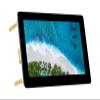
5inch IPS Touchscreen for Raspberry Pi DSI LCD Screen 800480 Capacitive Touch Display Support Raspberry Pi 4B 3B+ 3A+ 3B 2B B+ A+ CM3/3+/4 Compatible with RasPi OS/Ubuntu/Kali/WIN10 IoT/Retropie
AED 583.85
AED 973.08
-
 Order within 10 hours and 7 minutes to get between June 20 - June 26
 -
 Tracked Shipping on All Orders
-
 14-Day Returns
- Secure Payments
-
 24/7 Customer Support
Description
- 5 capacitive IPS touch display for Raspberry Pi, 800x480 hardware resolution, MIPI DSI interface, low power consumption
- 5inch DSI LCD (B) display supports Raspberry Pi 4B/3B+/3A+/3B/2B/B+/A+. Another adapter board CM-DSI-ADAPTERis required for CM3/3+/4
- Supports Raspberry Pi OS, 5-points touch, driver free; Supports Ubuntu / Kali / WIN10 IoT, single point touch, driver free; Supports Retropie, driver free
- Power supply via Pogo pin
- Development Resources and Technical Support are provided, please feel free to contact us if you have any problem when using the 5inch DSI LCD (B) display
Introduction
5inch Capacitive Touch Display for Raspberry Pi, 800480, IPS Wide Angle, MIPI DSI Interface.
Features
5inch IPS screen, 800x480 hardware resolution
Capacitive touch panel, support 5-point touch
Tempered glass capacitive touch panel, hardness up to 6H
Supports Pi 4B/3B+/3A+/3B/2B/B+/A+. Another adapter board CM-DSI-ADAPTERis required for CM3/3+/4
DSI interface, refresh rate up to 60Hz.
When used with Raspberry Pi, support Raspberry Pi OS / Ubuntu / Kali and Retropie, driver free.
Supports software control of backlight brightness
User guide
1. Hardware connection
1) Using the FFC cable, connect the 5inch DSI LCD to the DSI port of the Raspberry Pi.
2) For easy use, you can fix the Raspberry Pi on the backside of the 5inch DSI LCD by screws.
2. Software setting
Supports Raspberry Pi OS / Ubuntu / Kali and Retropie systems for Raspberry Pi.
1) Download image from the Raspberry Pi website.
2) Download the compressed file to the PC, and unzip it to get the .img file.
3) Connect the TF card to the PC, use SDFormatter software to format the TF card.
4) Open the Win32DiskImager software, select the system image downloaded in step 2, and click Write to write the system image.
5) After the image has finished writing, save, and quit the TF card safely.
6) Power on the Raspberry Pi and wait for a few seconds until the LCD displays normally. And the touch function can also work after the system starts.
Note If you are using the Buster branch system, the DSI LCD can work with Raspberry Pi directly after connecting and powering on. But if you are using the Bullseye branch system, you need to modify the config.txt
Package Content
1. 5inch DSI LCD (B) x1
2. FPC 15PIN 1.0 pitch 50mm (opposite sides) x1
3. Screws pack x1
Shipping and Returns
- We offer tracked shipping on all orders. Tracking information will be shared as soon as the order is dispatched.
- Please check the delivery estimate before adding a product to the cart. This is displayed for every product on the website.
- Available shipping methods and charges will be displayed at the time of checkout, depending on your exact location.
- All customers are entitled to a return window of 14 days, starting from the date of delivery of the product(s).
- Customers are advised to read our return policy for details of the return process, eligibility, refunds as well as cancellations or exchanges.
- In case of any issues or concerns about Shipping or Returns, please contact us and we will be happy to help.
waveshare.
5inch IPS Touchscreen for Raspberry Pi DSI LCD Screen 800...
AED 583.85
AED 973.08