

CARLINKIT
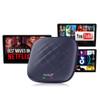
CarlinKit CarPlay Box Streaming Device for Car YouTube, TikTok, Netflix CarPlay Adapter | Convert Wired to Wireless CarPlay & Android Auto | Android 13.0, 8-Core, 8GB+128GB, SM6225, Blue
AED 1,976.26
AED 3,293.77
-
 Order within 2 hours and 23 minutes to get between June 20 - June 26
 -
 Tracked Shipping on All Orders
-
 14-Day Returns
- Secure Payments
-
 24/7 Customer Support
Description
- Stream Anytime, Anywhere Watch YouTube, TikTok, and Netflix with the CarlinKit Tbox Plus Netflix CarPlay Adapter. Seamless Wireless Upgrade Converts wired CarPlay & Android Auto to wireless with ease.
- High-Performance Car Streaming Box Equipped with Android 13.0, 8-core SM6225 processor, and 8GB+128GB storage for fast, smooth streaming.
- Plug & Play Convenience This CarPlay Box Streaming Device connects instantly for effortless entertainment on the road.
- Enhanced Compatibility CarlinKits Car Streaming Device works with most cars supporting wired CarPlay, transforming your drive with premium streaming and connectivity.
- CarlinKit CarPlay Box currently does not support mirroring functionNot compatible with the full range of BMW and Tesla.
- Wireless CarPlay: iPhone 6 and above / iOS 10.0 and above. Wireless Android Auto: Android phone with Android 11.0 and above.
- Wireless CarPlay Match iPhone Phone Tutorial After plugging the device into the car USB port, click on the original wired carplay icon. Click on the APK page on the car screen, open the wifi and Bluetooth signal on the iphone, find the Bluetooth signal of the device, then allow pairing, click '' use carplay '', wait for a while to connect.
- Wireless Android Auto Match Android Phone Tutorial After plugging the device into the car USB port, click the original wired carplay icon. Click the APK page on the car screen, open the settings on your Android phone, open Bluetooth, then search for the Bluetooth signal of the device, click on pairing, and wait for successful connection.
- Special Reminder: 1, Wireless CarPlay can only match iPhone phones, not Android phones. 2, Wireless Android Auto can only match Android phones, not iPhone phones. 3, Issue with CarPlay channel not going full screen: device can be switched to Android Auto channel
- Switching Methods: 1.Copy this file to the root directory of the MICRO SD and then insert the MICRO SD into the Tbox. h-t-t-p-s://drive.google.com/file/d/1xZACqHJsg77Af3gYOaTCgEly41-U3SV1/view?usp=sharing 2.Plug the box into the charger, wait for 5 minutes, the box will restart automatically to switch to Android Auto channel. video tutorial h-t-t-p-s://w w w.youtube.com/watch?v=-_DKr1imqjM
Shipping and Returns
- We offer tracked shipping on all orders. Tracking information will be shared as soon as the order is dispatched.
- Please check the delivery estimate before adding a product to the cart. This is displayed for every product on the website.
- Available shipping methods and charges will be displayed at the time of checkout, depending on your exact location.
- All customers are entitled to a return window of 14 days, starting from the date of delivery of the product(s).
- Customers are advised to read our return policy for details of the return process, eligibility, refunds as well as cancellations or exchanges.
- In case of any issues or concerns about Shipping or Returns, please contact us and we will be happy to help.
Carlinkit.
CarlinKit CarPlay Box Streaming Device for Car YouTube, ...
AED 1,976.26
AED 3,293.77